Cinematographer
RAW Recording ist meine Versicherungspolice. Ich muss die perfekte Exposition treffen, aber RAW gibt mir massive Fehlertoleranz. Fehler bei ISO oder Belichtung können in Post korrigiert werden. Das ist filmisches Sicherheitsnetz.
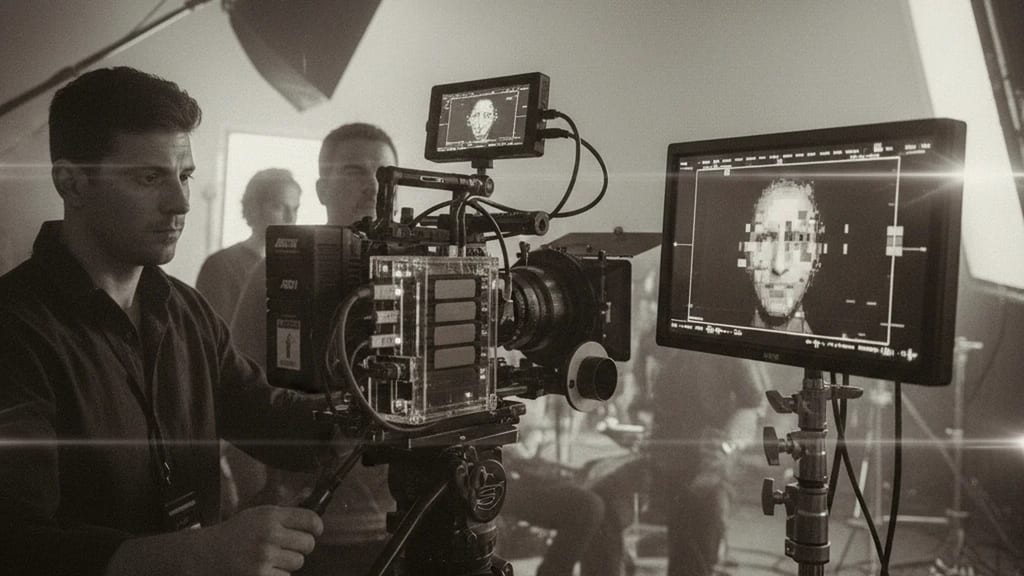
RAW Recording is the direct, uncompressed storage of raw sensor data without debayering, color grading or compression, providing maximum flexibility and quality in post-production.
Raw Recording (German: RAW Aufnahme) means the direct, uncompressed storage of raw data from the image sensor – without debayering (color interpolation), without color science application, and without video encoding. Each pixel is stored in its original form as captured by the sensor.
This is in contrast to codec-based recordings (ProRes, H.264, etc.), where:
Recording Chain (with RAW):

[Photons hit sensor]
 ↓
[Bayer filter sorts colors]
 ↓
[Electronic charge in pixels]
 ↓
[Analog-to-Digital Conversion (14-16 bit)]
 ↓
[RAW Storage] ← END OF CHAIN HERE
 ↓
[Post-Production: Debayering, Grading, Gamma]Color distribution in the RAW sensor:
┌─────────┬─────────┬─────────┬─────────┐
│ GREEN │ RED │ GREEN │ RED │
├─────────┼─────────┼─────────┼─────────┤
│ BLUE │ GREEN │ BLUE │ GREEN │
├─────────┼─────────┼─────────┼─────────┤
│ GREEN │ RED │ GREEN │ RED │
├─────────┼─────────┼─────────┼─────────┤
│ BLUE │ GREEN │ BLUE │ GREEN │
└─────────┴─────────┴─────────┴─────────┘
Pattern: RGGB (Bayer Pattern)
Reason: Eye is sensitive to green, hence 2x Green
Result: Raw mosaic needs to be debayered in post| Format | Manufacturer | Bit Depth | Compression | Resolution |
|---|---|---|---|---|
| ARRIRAW | ARRI | 12 Bit | Lossless | Super35 & LF |
| RED RAW | RED | 12/16 Bit | Lossless | 6K-8K |
| CinemaDNG | Adobe/Open | 12 Bit | Optional | Variable |
| Sony RAW | Sony | 16 Bit | Lossless | 8K |
| Blackmagic RAW | Blackmagic | 12 Bit | Lossless | 4K-8K |
Examples for 1 hour of recording at 24fps:

ARRI Alexa 35 (Super35 RAW):
 Format: 2880 x 1620 pixels
 Codec: ARRIRAW Lossless Compression
 Rate: 24fps = ~1.1 GB/min
 1 Hour: 66 GB

RED Komodo (6K RAW):
 Format: 6144 x 3160 pixels
 Codec: RED Lossless
 Rate: 24fps = ~1.5 GB/min
 1 Hour: 90 GB

Canon EOS R5C (8K RAW):
 Format: 8192 x 4320 pixels
 Codec: CinemaDNG
 Rate: 24fps = ~2.5 GB/min
 1 Hour: 150 GB
Comparison to Codec:
Same scene as ProRes 422 HQ:
 Format: 2880 x 1620 (similar)
 Rate: 24fps = ~200 MB/min
1 Hour: 12 GB (5.5x smaller!)12-Bit RAW:
Max Value: 4096 (2^12)
Dynamic Range: 12 Bits × log2(2) = 12 Stops
Examples: ARRI RAW, RED RAW, Blackmagic RAW
16-Bit RAW:
Max Value: 65536 (2^16)
Dynamic Range: 16 Bits = 16 Stops (theoretically)
Examples: Sony RAW, High-End RED
14-Bit RAW:
Max Value: 16384 (2^14)
Dynamic Range: 14 Bits = 14 Stops
Examples: Canon, Panasonic RAWError Corrections Possible in Post:
Exposure Errors:
ARRI RAW overexposed by +1 stop:
→ In Resolve: Exposure corrected by -1 stop
→ Result: Clean shadow details, no clipping
→ With ProRes: Highlights already lost, not recoverable
White Balance Errors:
RAW shot at incorrect Kelvin:
→ In Resolve: Color Temperature corrected
→ Result: Perfect white balance
→ With ProRes: Color already baked into grading, difficult to fix
ISO Corrections:
RAW shot at ISO 320 instead of 160:
→ In Resolve: Exposure corrected by -1.5 stops
→ Result: Original light behavior
→ With ProRes: Noise already compressed, correction is dirtyScene: Sunset Interior (warm, but dramatic)
RAW Workflow:
1. Capture: Neutral exposure
2. Grading Studio: Extreme warm grade possible
- Orange/Red grading without artifacts
- Shadows remain clean
- Extreme S-curves without posterization
3. Output: Cinematic masterpiece
ProRes Workflow:
1. Capture: Exposure already interpreted
2. Grading Studio: Limited warm grade possible
- Too aggressive warm: Artifacts visible
- Shadows become noisy with lift
- Banding in highlights with curves
3. Output: Good result, but limitedArchiving:
RAW is the format of the future
→ 10 years later: New grading software
→ Old RAW files: Still fully usable
→ New grades possible with modern software
ProRes Workflow:
→ 10 years later: ProRes 422 possibly outdated
→ Re-decoding: Potential quality leakage
→ RAW files available: New grades always betterPractical Problem:
1 Hour of RAW 4K footage:
→ Storage: 60-150 GB
→ 5 Hours of shooting: 300-750 GB
→ Multiple cameras: Quickly 1-2 TB per day
Consequences:
- Most expensive storage devices necessary (R5 Card, CFAST, SSD)
- Backup costs are enormous
- Transfer times are long (bottleneck)
- Redundant storage planning is criticalRAW Data Management Requirements:
Standard Strategy (3-2-1 Backup):
Camera Storage:
→ Original RAW file
→ Backup 1: External drive (on-site)
→ Backup 2: External drive (off-site)
Practicalities:
→ Daily copy operations (4-6 hours)
→ Multiple technicians for control
→ Costs: Data Manager (~€150-250/day)
→ Risk: Still considerable (RAID is critical)
Result: RAW production costs 3-5x more for data handlingRAW processing requires specialized tools:
Debayering (RAW → RGB Conversion):
- ARRI LogC Debayering (ARRIRAW)
- RED Debayering (RED Cinetools)
- Blackmagic Debayering (DaVinci native)
- Different algorithms = different results
Result: Colorist must be specialized
Cost: Senior Colorist (+50% more expensive than standard)
Timeline: +30% longer grading timeDecision: RAW Yes or No?
✓ Use RAW if:
 - Budget > €1M
 - VFX-Heavy Project
 - Premium Grade Required
 - Data Infrastructure Available
 - Large Team (Data Manager + Colorist)

✗ Avoid RAW if:
 - Budget < €500k
 - Fast Turnarounds (Streaming)
 - Simple Image Design
 - No Data Infrastructure
- Small TeamRAW Workflows on Set:
Typical Workflow (ARRI Alexa):

Set up:
 1. Camera with SSD (LTO not practical on location)
 2. Two external RAID drives (backup)
 3. Data Manager monitors transfers
 4. Daily backup routines

Recording:
 1. Record RAW to camera SSD
 2. After scene: Transfer to Backup 1 (local)
 3. After shooting day: Transfer to Backup 2 (secure)
 4. Verification: Checksums verified (not read!)

Practical Times:
 - 1 hour recording: 60-90 GB
 - Transfer Backup 1: 20-30 minutes (via USB 3.1)
 - Transfer Backup 2: 20-30 minutes
 - Verification: 10 minutes
→ Total: 60 minutes daily backup for 60 minutes of materialRAW Grading Workflow:
Standard DaVinci Workflow:

1. Import RAW Files
 - ARRIRAW: Natively supported
 - RED RAW: Natively supported
 - Others: Converters needed

2. Debayering Settings
 - ARRI LogC is automatically applied
 - RED Color Science is automatically applied
 - Custom LUT optional

3. Grading on Log-Space
 - Do not grade on Rec.709!
 - Log provides maximum flexibility
 - Final output LUT in delivery

4. Export
 - DCP (Digital Cinema Package)
 - ProRes 422 HQ (Archive)
 - Rec.709 Master (Television)
- All from RAW source!Scene: Night Interior with HMI backlight
Setup:
- ARRI Alexa 35
- Expose: -0.5 Stops (Highlight Protection)
RAW Option:
→ Capture ARRIRAW
→ Shadows can be fully recovered: +1.5 Stops
→ Highlights remain clean: Details in window visible
→ Grade: Extreme contrasts possible
→ Result: Cinematic Masterpiece
ProRes Option:
→ Capture ProRes 422 HQ
→ Shadows can be lifted a maximum of +0.5 Stops
→ Highlights already compressed (Compression)
→ Grade: Limited contrast possibilities
→ Result: Good look, but not optimal
Winner: RAW offers significantly more latitudeAdvantages:
✓ Lossless compression (moderate file size)
✓ Industry Standard (since 2010)
✓ Broad post-software support
✓ LogC color space established
Disadvantages:
✗ Proprietary format
✗ Requires storage on special SSDs
✗ Most expensive SSD devices (ALEXA dock)
Typical Use: High-budget features, standard industryAdvantages:
✓ Highest resolution (6K-8K)
✓ Flexible color science
✓ REDcine-X Pro tools are very powerful
✓ Large user community
Disadvantages:
✗ Very large files (Red Dragon larger than ARRIRAW)
✗ Stores on RED memory cards (proprietary)
✗ REDcine-X requires special windows
Typical Use: High-resolution projects, VFX, zoom-heavyAdvantages:
✓ Open format approach
✓ Native DaVinci support
✓ Cheaper than RED
✓ Moderate file size
Disadvantages:
✗ Newer format (less established)
✗ Fewer camera options
✗ Smaller color science community
Typical Use: Budget-conscious productions, DaVinci usersRAW Future (2025-2030):
More cameras with RAW:
- Panasonic S-Series (planned 2025)
- Canon Cinema EOS (planned 2026)
- Sony Cinema (planned 2027)
→ RAW will become the standard, not the exception
File Size Reduction:
- Better compression (12→10 bit lossless)
- Smaller sensor formats
→ Data management becomes easier
Cloud Integration:
- Proxies in the cloud
- Remote grading
→ Data transfer centralizedRAW Decision Matrix:
┌─────────────────────────────────────┐
│ Budget │
├─────────────────────────────────────┤
│ < €500k → ProRes │
│ €500k-2M → ProRes or RAW │
│ €2-5M → RAW preferred │
│ > €5M → RAW standard │
└─────────────────────────────────────┘
┌─────────────────────────────────────┐
│ Project Complexity │
├─────────────────────────────────────┤
│ Simple (Drama) → ProRes OK │
│ Complex (VFX) → RAW necessary │
│ Very Complex → RAW mandatory │
└─────────────────────────────────────┘Atomos expands its portfolio with the Ninja RAW, a specialized external recorder for RAW recordings up to 6K via HDMI. The device omits Wi-Fi functions and focuses on the core features of monitoring, camera control, and lossless recording. The Ninja RAW is aimed at productions requiring maximum image quality without wireless connectivity.
RAW Recording ist meine Versicherungspolice. Ich muss die perfekte Exposition treffen, aber RAW gibt mir massive Fehlertoleranz. Fehler bei ISO oder Belichtung können in Post korrigiert werden. Das ist filmisches Sicherheitsnetz.
RAW ermöglicht mir kreative Flexibilität in der Nachproduktion. Der Colorist kann die Licht-Ästhetik völlig neu interpretieren, ohne dass ich Set-Entscheidungen revidieren muss. Das ist der Luxus moderner Produktion.
RAW ist eine massive Data-Herausforderung. Eine Stunde 6K RAW = 1.5-2 TB Speicher. Backup-Strategien sind kritisch. Ich muss redundante Speicher, schnelle Transfer-Raten und 24/7 Monitoring garantieren.
1. Was beschreibt „RAW Aufnahme" am besten?
2. Zu welchem Department gehört „RAW Aufnahme"?
3. Wie viele verschiedene Fachperspektiven bietet dieser Eintrag?
The Lexikon is part of the Filmfarm ecosystem — alongside budgeting (FilmBalance), an industry magazine (FilmCircus) and crew networking (FilmCall, CrewMesh). One shared vocabulary for the whole production.