Overview
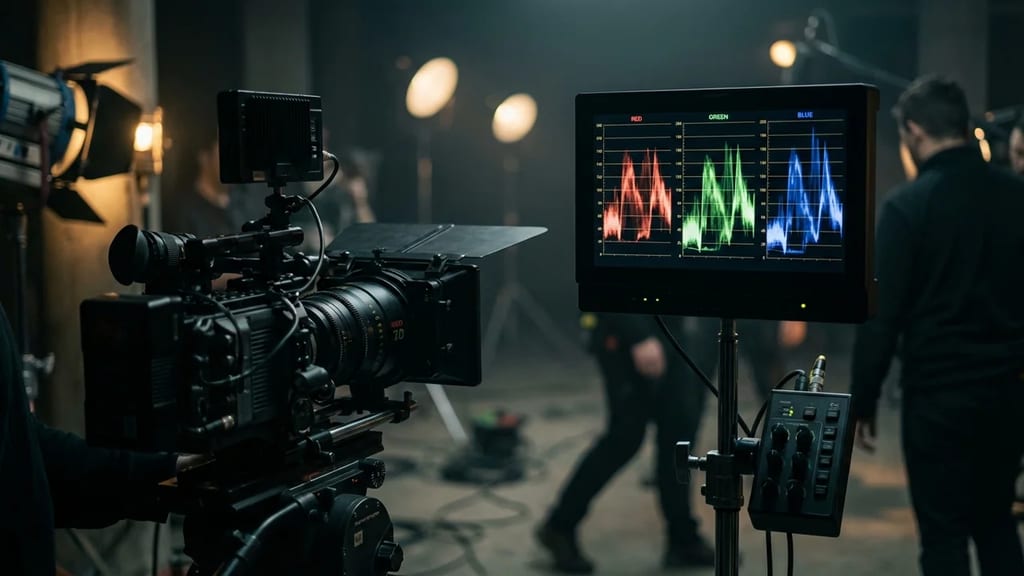
The Parade (English: parade scope, often referred to as RGB Parade) is a measurement tool in image technology. It belongs to the family of waveform monitors and displays the individual channels of a video signal not superimposed, but side-by-side – in the classic variant, the three channels Red, Green, and Blue. This allows for a direct comparison of how strongly each color channel is distributed across the image.
In contrast to a pure luminance waveform, which only displays brightness, the Parade makes color deviations visible. It is a component of practically all color grading and editing programs (e.g., DaVinci Resolve, Adobe Premiere Pro, Vegas Pro) as well as professional monitoring hardware.
Display and Axes
The Parade is divided into several side-by-side areas, one for each channel:
- Horizontal Axis: Within each channel, this represents the horizontal position in the image (from left to right).
- Vertical Axis: This shows the level or brightness of the respective channel – from black (bottom) to white (top).
In addition to the common RGB Parade, many programs can display other signal forms, such as a Parade in the YCbCr/YUV color space, where Luma and the color difference channels appear separately side-by-side.
Use on Set and in Post
The Parade is one of the most important tools for white balance, color cast control, and color matching:
- Detecting Color Cast: Unequal levels of the three channels in neutral image areas indicate a color cast.
- White Balance: When measuring a neutral gray surface (e.g., a gray card), Red, Green, and Blue should be at the same level; deviations show in which direction correction is needed.
- Shot Matching: When matching multiple shots, the direct comparison of channel levels helps maintain a consistent look across scenes.