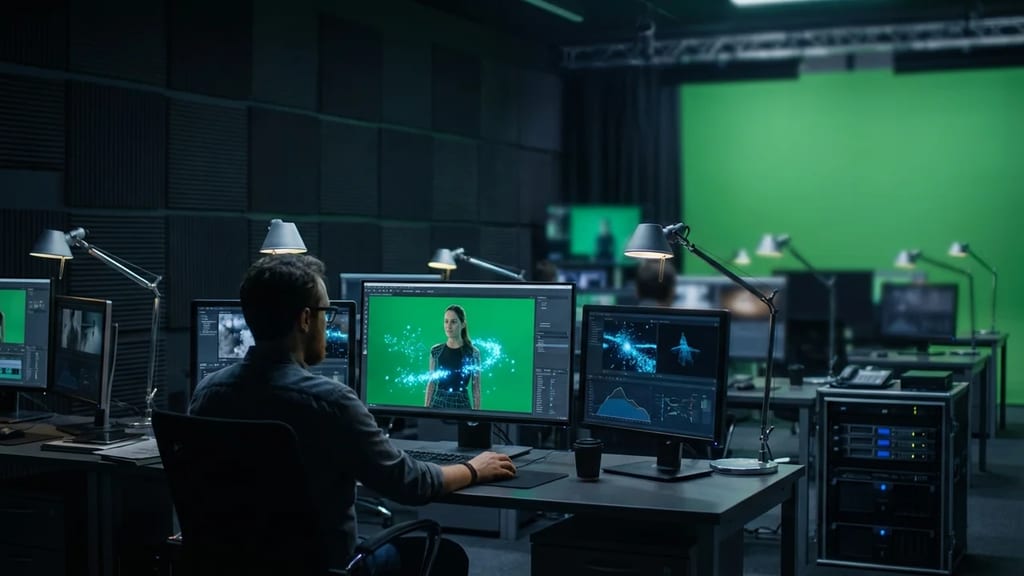
Technical Details
Keying isolates objects based on color information (chroma), brightness (luminance), or manual masks.
Keying Types:
- Chroma Keying (Color Keying):
- Based on isolating a specific color (green or blue)
- Algorithm: Uses color space transformation (HSL, HSV, or YCbCr) to isolate chroma values
- Tools: Keylight, Ultimatte, Cryptomatte
- Accuracy: 95%+ for optimal setups, 60-70% for suboptimal conditions
- Luminance Keying (Brightness Keying):
- Based on brightness/luminance rather than color
- Used for scenes with white or black backgrounds
- Method: Threshold-based or Luma-range-based
- Faster than chroma key, fewer spill issues
- Difference Keying:
- Subtracts a reference image (clean plate) from the footage image
- Highly precise when a clean plate is available
- Vulnerable to lighting changes
- Deep Keying / Multi-Channel Keying:
- Uses multiple channels simultaneously (RGB + Alpha)
- For images with multiple colors in the background
- Cryptomatte uses ID-based keying
Keying Parameters in Typical Software:
- Screen Color: Defines which color should be "transparent"
- Threshold: How similar a color must be to the screen color to be transparent
- Despill: Removes color casts from the background onto foreground objects
- Edge Softness: How much the object edges are smoothed
- Output Alpha: Purity and whiteness of the alpha channel
History & Development
Chroma keying was invented in 1958 by Petro Vlahos. The first practical implementation was the Blue Screen Process in the 1960s.
Software Evolution:
- 1990s: Discreet Combustion and After Effects 3.0 introduce digital keying
- 1995: Ultimatte Corporation develops logarithmic keying algorithms
- 2000: Keylight (Red Giant / GenArts) becomes an industry standard
- 2005: After Effects receives native keying improvements
- 2015: Boris FX Silhouette FX offers GPU-accelerated keying
- 2020: Nuke's Cryptomatte enables ID-based keying for CG layers
- 2023: AI-powered keyers (based on deep learning) begin to become available
Keying Workflow in After Effects (Standard)
1. Import footage (ProRes 422 HQ or RAW)
2. Create a new composition
3. Add footage layer
4. Apply Effect > Keying > Keylight
5. Activate Screen Color Picker and click on pure greenscreen pixels
6. Adjust Screen Shrink/Grow (-5 to -15 pixels)
7. Increase Screen Pre-Blur (2-4 pixels for noise reduction)
8. Set Despill Bias to "Green"
9. Adjust Output Alpha slider to 75-85%
10. Optional: Rotoscoping refinement for hair/edges
Keying Workflow in Nuke (Professional)
1. Import footage in linear color space
2. Primary Keyer: Add node (e.g., Keyer)
3. Define screen color (manually or with picker)
4. Check Keyer output (shows binary mask)
5. Despill: Apply ColorCorrect node to R/G/B channels
6. Matte Erosion: Erode filter at +2 to +8 pixels
7. Matte Blur: Light Blur at 0.5-1.5 pixels for edge softness
8. Output: Merge node to combine original with alpha mask
9. Grade spill suppression using HSL Qualifier
10. Render to ProRes 444 with 10-bit Alpha
Practical Application
Low-Budget Streaming: YouTube creators use simple Keylight in After Effects. Typical setup time: 30 minutes per episode.
Cinematic Quality: Blockbusters like "Doctor Strange" (2016) use professional keying in Nuke with senior artists. Per shot: 2-8 hours, depending on complexity.
Live-Action VFX: In "Avengers: Endgame" (2019), many superhero fight scenes were filmed with greenscreen keying combined with motion tracking. 70% of the action scenes were greenscreen-based.
Spill Suppression (Despill Techniques)
When green light reflects onto talent's skin/hair:
- Primary Despill in Keyer: Use Keylight's Despill parameter
- Secondary Despill: Separate curve adjustments on the Green channel
- HSL Qualifier Despill: Isolate pure green tones and reduce saturation
- Manual Spill Removal: ColorCorrect node to specifically correct green hair
Modern keyers (like Keylight 1.3) can automate despill up to 70%; the final 30% requires manual fine-tuning.
Quality Checkpoints
A professional key is checked for:
- No Halos: Black or white edges around objects
- No Black Holes: Transparency in solid objects (e.g., in eyes)
- Consistent Alpha: No flickering or jumping across frames
- Clean Edges: Sub-pixel accuracy at 1080p+
- Color Preservation: Original colors of the object unchanged
- No Excessive Spill: Background color not visible on foreground